
Microsoft has confirmed that the January 2026 Windows 11 security update KB5074109 can cause serious stability issues, including complete system freezes, black screens, and unresponsive desktops shortly after installation.
The issue is documented on Microsoft’s own Learn / Answers platform, where affected users report PCs locking up during normal use, often requiring a forced reboot. In many cases, systems only recover after the update is manually uninstalled.
Official Microsoft Confirmation
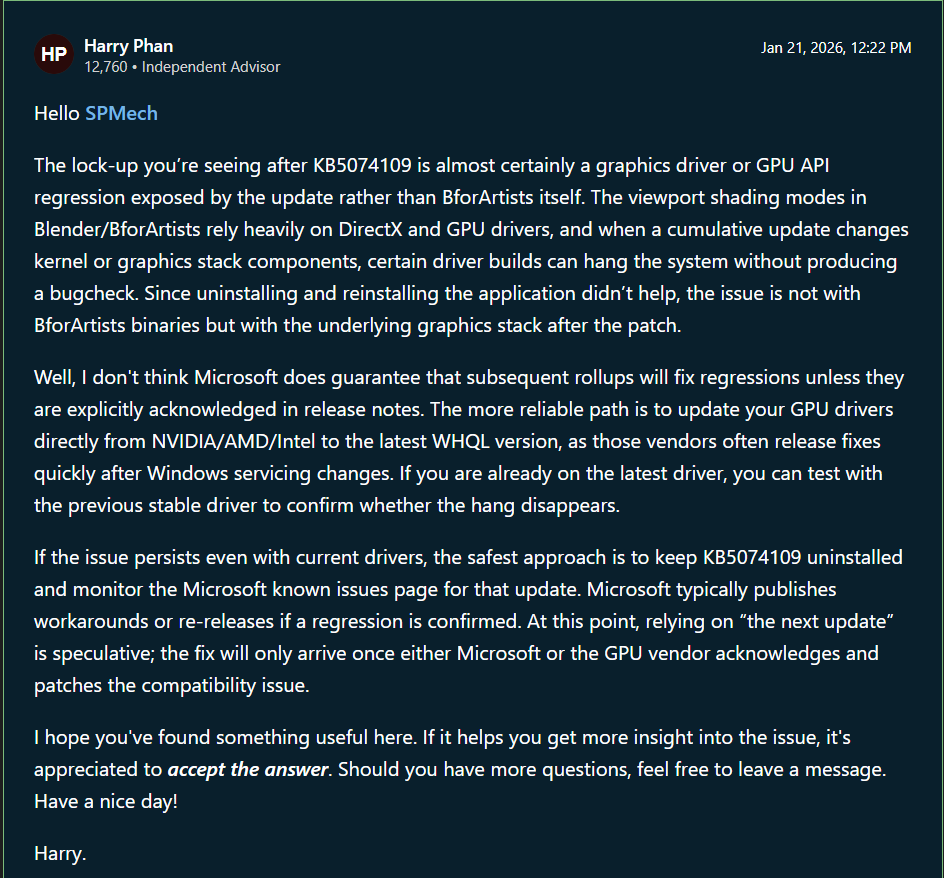
In a Microsoft Answers thread titled “Windows 11 Security Update KB5074109 locks up PC – no blue screen”, Microsoft staff acknowledge user reports and confirm that the update may trigger system-wide freezes on certain configurations.
Source: Microsoft Learn – Windows 11 Security Update KB5074109 locks up PC
Reported Symptoms
- Complete system lockups with frozen input
- Black screens after login or reboot
- Application crashes and UI failures
- Remote Desktop and enterprise app instability
Affected Systems
Reports indicate the issue affects both consumer and enterprise environments. Systems using certain NVIDIA and AMD graphics drivers appear more frequently impacted, although the problem is not limited to a single hardware vendor.
Microsoft’s Recommendation
Until a corrected patch is released, Microsoft advises affected users to uninstall KB5074109 via Windows Update history and temporarily pause further updates. Updating drivers alone does not appear to fully resolve the issue in all cases.
Why This Matters
Security updates are intended to improve protection, but incidents like this highlight the risk of widespread disruption caused by faulty patches. For enterprise users, unexpected downtime can result in significant operational impact.
This report is based on verified user reports and Microsoft’s own public documentation, not third-party speculation.